 Play Some Bish
Learn
Playing on Play Some Bish
This site tries to play the way a real table does. That means you have to call your own runs and Bella, and show your runs yourself when it's time. The game won't do it for you, and if you forget, the points don't count. This page walks through what you'll see on screen. For the rules themselves, see How to play.
On your turn, click a card
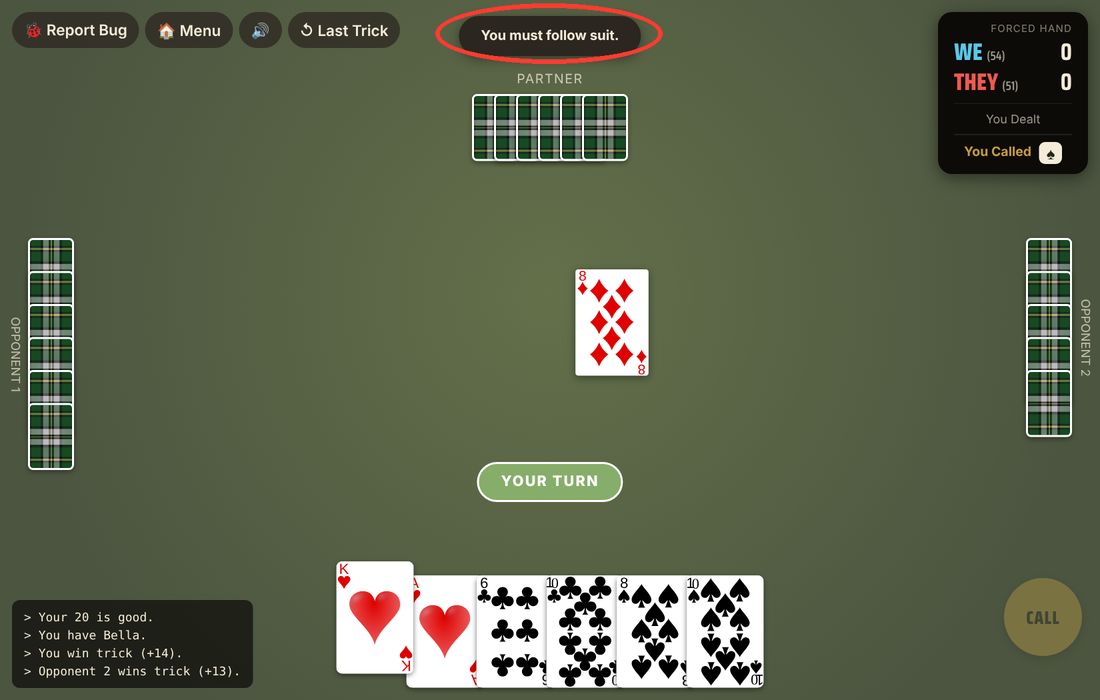
When a green YOUR TURN pill appears, click the card you want to play. That's it. Click a card that isn't legal and the game tells you so with "You must follow suit.". The card stays in your hand and you can pick another. Tap the Last Trick button at the top whenever you need to look back at the trick before.
Calling trump, and being forced
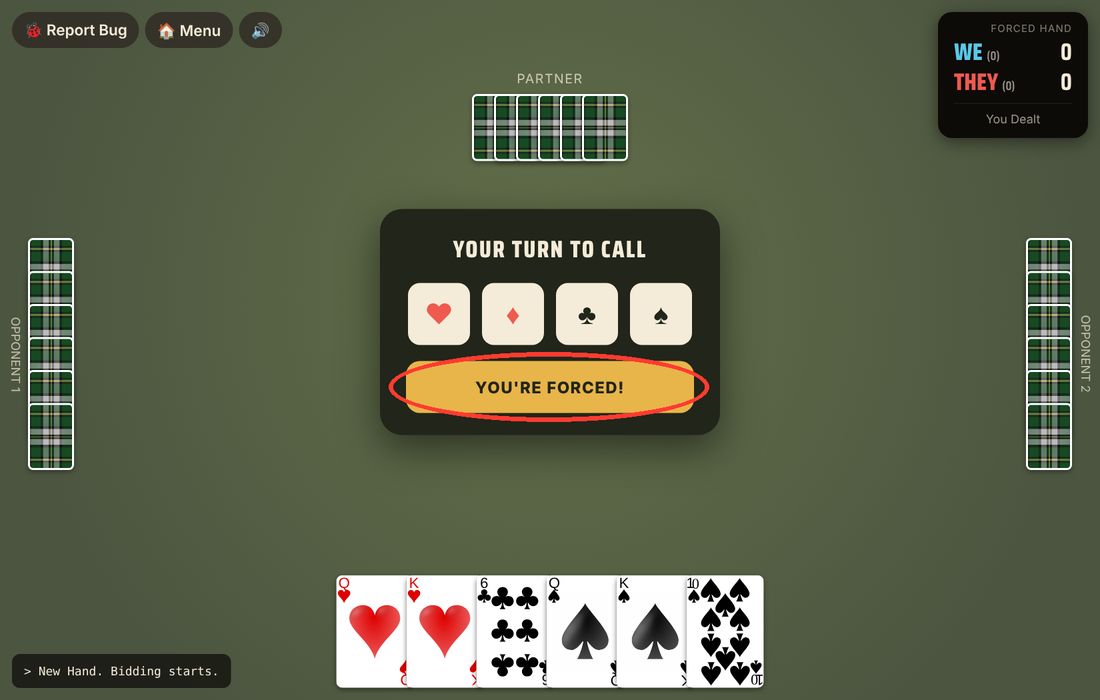
When it's your turn to call, you'll see four suit buttons and a PASS. Pick a suit to name trump. If you're the dealer and everyone else passed, PASS turns into YOU'RE FORCED! and you have to name a suit. The same thing happens in the Daily Challenge, where you are always the dealer and the call is forced.
Runs: you call, then you show
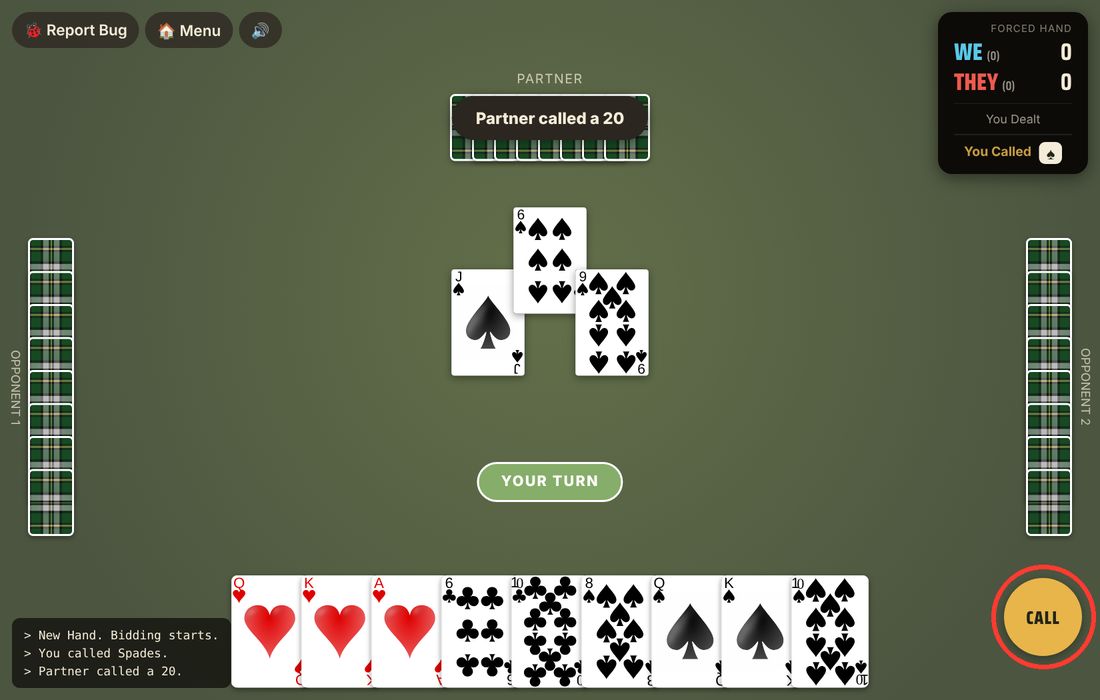
If your hand holds a run (three in a row in one suit is a twenty, four or more is a fifty), a round CALL button lights up before you play your first card. Press it and confirm "Call 20" or "Call 50". You're announcing that you have a run. The table doesn't see the cards yet. Changed your mind? Press "Never mind".
Then, at the start of the second trick, a SHOW button appears on your turn. Press it before you play your second card and your run is turned face up for everyone, with an OK to carry on. Miss that window and the run doesn't count.
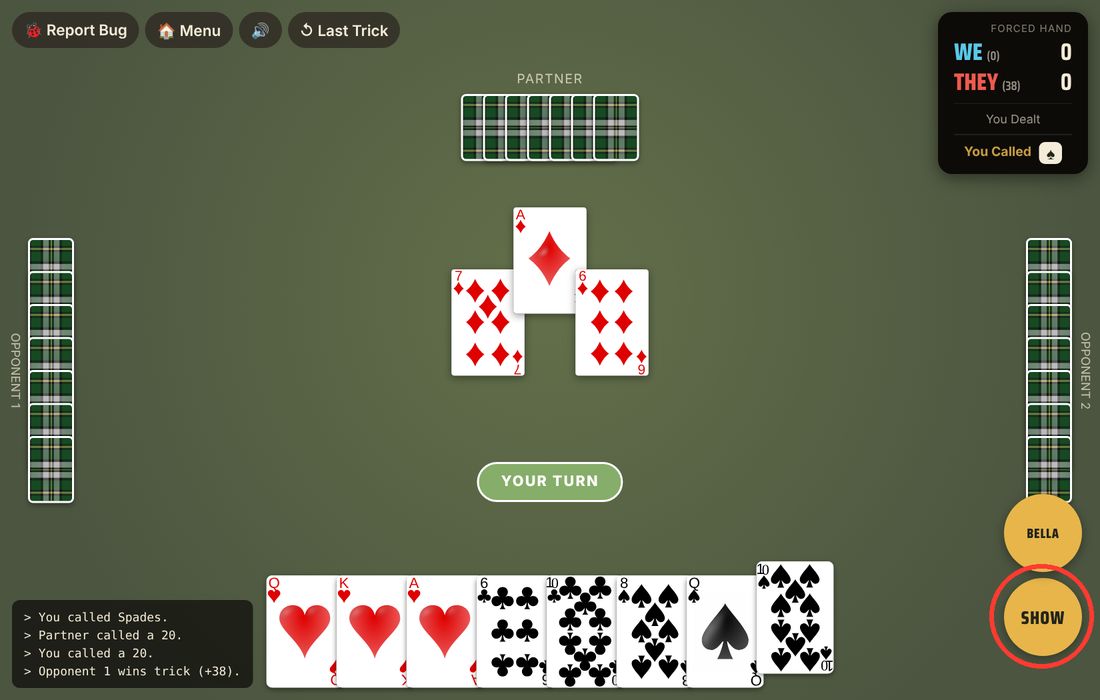
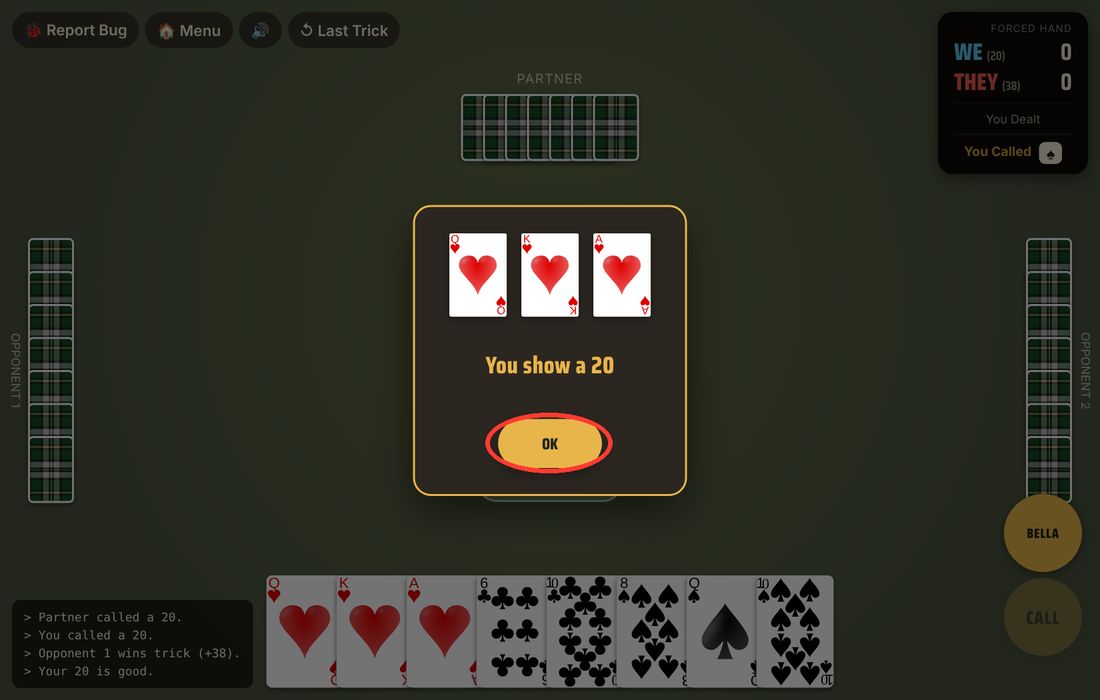
Only one side's runs score each hand. A fifty beats a twenty, then the higher top card wins, then a trump run beats a plain-suit run, and identical runs cancel. So you might press SHOW and be told "Opponent 1's run outranks yours - no need to show." That's the game doing the arithmetic, not an error. When the computer players hold the winning run, their cards are turned over for you automatically. The Runs and Bella lesson explains the contest in more detail.
Bella: call it on the second card
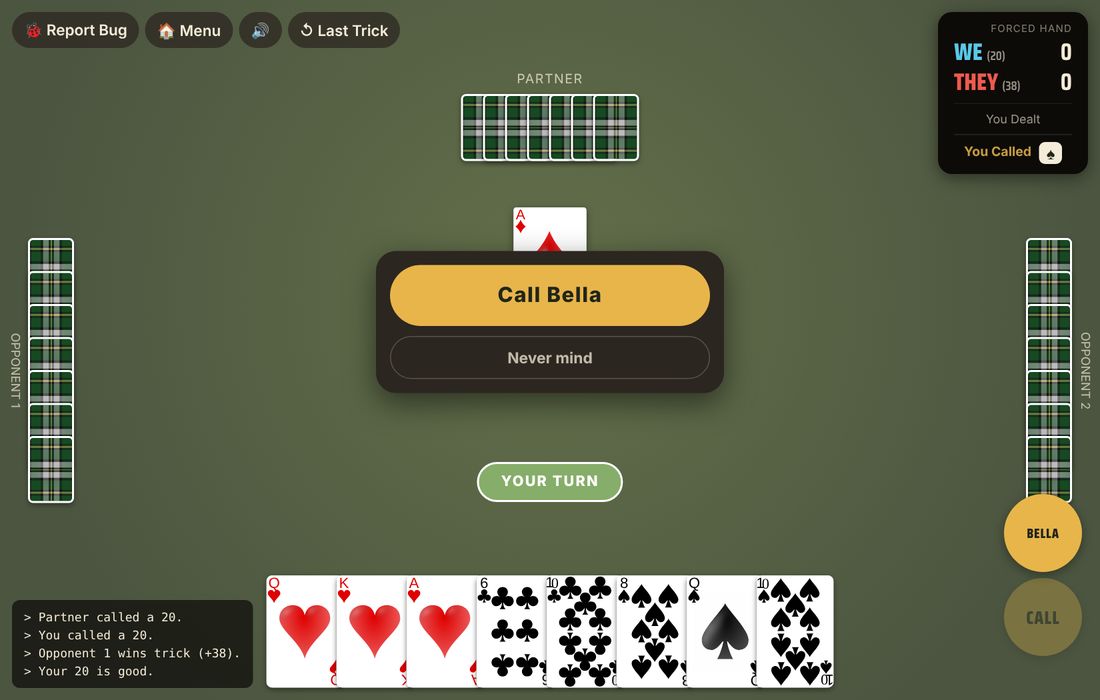
Holding the King and Queen of trump? Play one of them first. A BELLA button then appears on your turn. Press it and confirm "Call Bella", then play the other one. "You have Bella" flashes at the top and 20 points are added. If you play both without calling it, it isn't counted, just like at a real table.
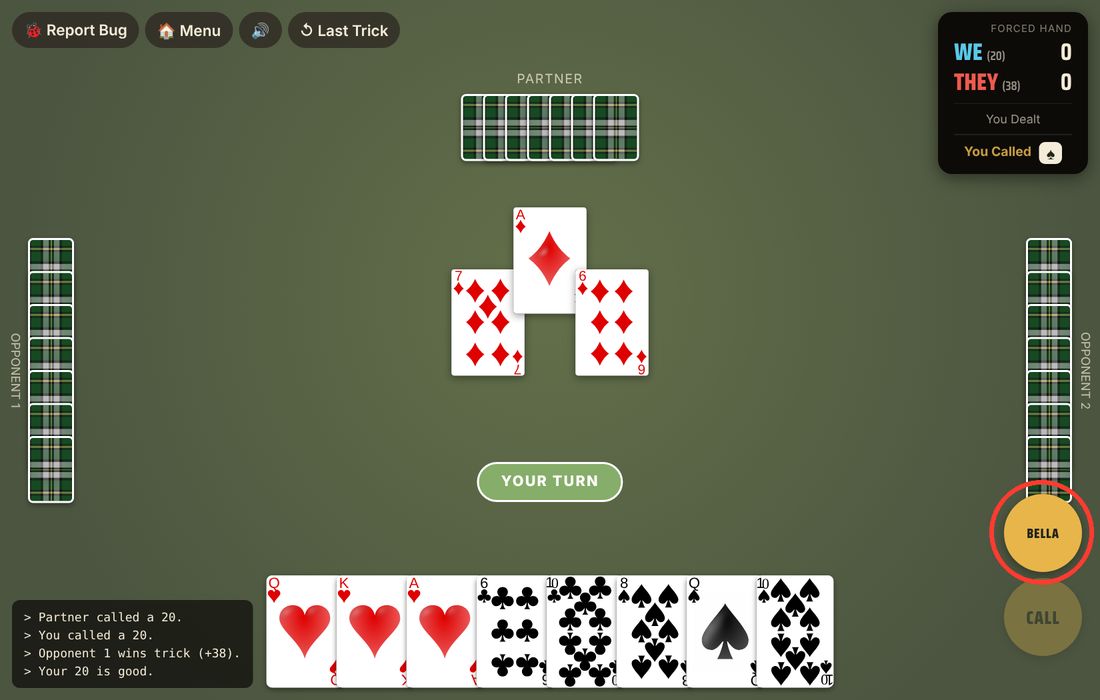
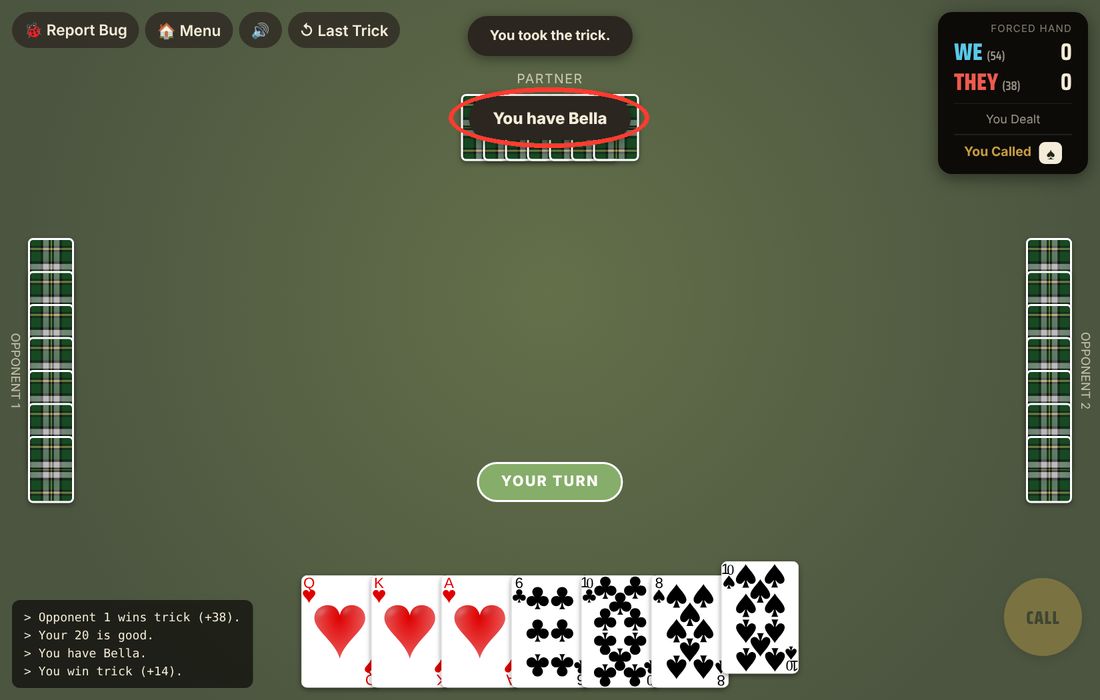
If your King and Queen are part of a run you've shown, they're already on the table, so there's nothing extra to call.
Online tables
- Host a table. Choose "Create a Table" and you get a four-letter code. Tick "Let anyone find and join this table" if you want it to show up in the public list.
- Join a table. Type a friend's four-letter code, or pick a table under "Or Join a Public Table".
- In the lobby. Seats are split into Team 1 and Team 2, partners across from each other. Any empty seat is filled by a computer player, so you can start with two people or four.
- Invites. If you're signed in, "Invite a Friend" sends a friend a nudge, and the "New-table alerts" toggle tells you when someone opens a table.
The Daily Challenge
Once a day, everyone gets the same forced hand: same cards, you as the dealer, the call forced on you. You play it once. The result screen shows how you did and how everyone else did that day. The next day's Daily Recap breaks the hand down.
Accounts, streaks and the leaderboard
You can play without an account. A free account keeps your scores and your daily streak, lets you add friends, and puts you on the leaderboard. If you play on one device and open the site on another while signed in, the Daily Challenge card tells you you've already played.
On your phone
Everything above works the same way, just tap instead of click. The CALL, SHOW and BELLA buttons sit on the right-hand side of the screen, above your hand, and the Last Trick button is in the top row.
Try it
The Daily Challenge is a good place to practise calling and showing.